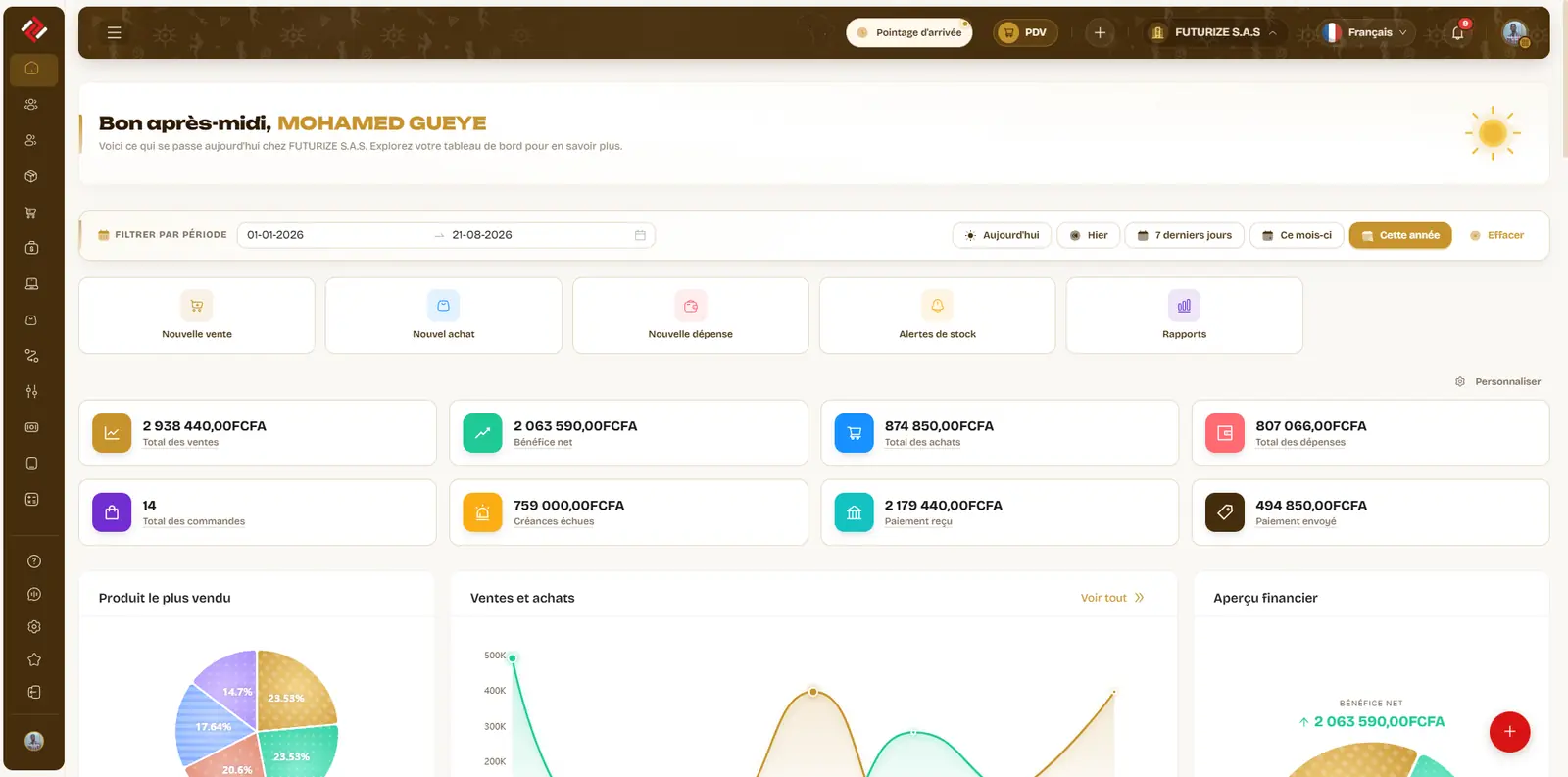
A dashboard your way
Key figures, charts and alerts each person shows, hides and reorders, topped by Biddew’s summary of the day.
Ready-made reports instead of a spreadsheet to rebuild: sales by product, gross margin, stock alerts, expenses, profit and loss. And for your own questions, a report builder Biddew can fill in from a sentence.
Animated demo, sample data
The purchase price on the product record is the cost: gross margin computes per product and per period, with no spreadsheet.
The evening summary or the Monday review, sent on their own. Low stock and expiries as notifications, overdue invoices on the home screen.
Most reports export to Excel or PDF, with their filters and period printed on them, depending on your plan.
Screenshots taken on our demo shop, with sample data. Tap a screen to enlarge it.
The day’s actions, Biddew’s summary of the day with what needs a decision, then the period’s key figures. Each person arranges it their way.
The same home screen in your pocket: the day’s actions, then Biddew’s summary with today’s sales and their trend.
By product, what was sold, at the catalogue purchase price, and the margin left. Products sold at a loss are one tap away.
Describe the report in a sentence and Biddew builds it, or start from a template: sales by seller, margin by category, busy hours, customers who owe you.
Pick a step to see what it sets off along the way.
A date range, a warehouse, a category: the filters stay visible.
Totals at the top, detail below, and the change against the previous period on the key figures.
Excel for the accountant, PDF for the bank, or an automatic send every Monday morning.
Key figures, charts and alerts each person shows, hides and reorders, topped by Biddew’s summary of the day.
Quantities, turnover and gross margin for the chosen warehouse, filterable by period, category, customer, seller or brand.
Sales, purchases, returns, transfers and expenses for the period, the resulting figure, and the same calculation day by day.
Levels, valuation, flows over the period, threshold alerts and upcoming expiries, by warehouse.
Who owes what and for how long, by age band, for your customers as for your suppliers.
A source, columns, groupings, totals and a chart. Describe the report in a sentence, Biddew builds it.
At a set time, when a threshold is crossed or when the day is out of the ordinary, by email with the PDF attached, or by WhatsApp and SMS depending on your plan.
Amounts display in your company’s currency and number format, separators included: a detail that decides whether a report is read or recomputed. And the report reaches you where you are: on WhatsApp, the evening summary reads between two customers, with no computer to open.
Yes. They read trading data at the moment you open them: a sale taken two minutes ago is in there.
Reports are governed screen by screen, like the rest of the application: margin screens follow the right to see products, and an automatic send only goes to people allowed to read it.
Yes. Automatic sends deliver, for example, the evening summary or the Monday review, by email with the PDF attached and in the app, and by WhatsApp or SMS depending on your plan. Low stock and expiries also arrive as notifications.
The modules talk to each other: what happens here shows up there, with nothing typed twice.
Join the 80+ businesses taking payments, tracking stock and making decisions with Wurus — no commitment, no credit card.